
Get started
Recording Your Matches
Film your matches so they track cleanly: landscape 16:9, 1080p or 720p, steady, no cuts, both players in frame, standard scoring.
Why this mattersLink to this section
The cleaner your footage, the better your tracking turns out, and the less you'll need to fix afterward. A few simple recording habits make a big difference, whether you send the match for automatic tracking or tag it yourself.
Recording checklistLink to this section
Follow these and your match will track well:
- Film in landscape (sideways), not portrait. Aim for a 16:9 shape, the same wide shape as a TV.
- Record at 1080p or 720p. Both look great for tracking.
- 30 or 60 frames per second both work. 30 fps uploads faster, so we'd start there unless you have a reason to film higher.
- Record the match in one take. Don't cut, trim, or stitch clips together. One continuous video is best.
- Keep both players in the frame at least 90% of the time. We need to see the players to track the rallies.
- Play standard rally scoring. Whoever wins the rally serves the next one.
Where to put the cameraLink to this section
Set the camera up high and behind one end of the court if you can, so it sees the full court and both players at once. A steady camera, on a tripod or propped up on something solid, tracks far better than one held in your hand.
Why three of these matter mostLink to this section
The last three items on the checklist do more work than the rest. Here's what each one is protecting.
One take, no cutsLink to this section
Editing your video before you upload changes more than its length. The gaps between rallies are real data: how long players took between points, how the pace shifted through a game, how much recovery each rally got. We're building analysis on top of those gaps, starting with rest between rallies. A trimmed or stitched video makes those gaps look longer or shorter than they really were, and the numbers come out wrong in ways that are hard to catch later.
If your video is too long for your token balance, use segments instead of cutting it. Upload the whole thing, then save segments during setup around the games you actually want tracked. You pay for the play you selected, exactly as if you'd trimmed the file, and the original timing stays intact. See Automatic Tracking and Tokens for how segments affect cost.
Both players visible about 90% of the timeLink to this section
We read each rally from what the camera can see. When a player drifts out of frame we lose their movement and their court position, and sometimes the shot itself. A little drift is fine and no camera catches everything, so aim for both players in view through the large majority of the match. Setting the camera high and behind the court is the easiest way to get there, since it keeps the back corners in shot.
Standard gameplayLink to this section
You tell us who serves first in each segment. From there we follow the serve through the match to work out who won each rally: in standard play the winner of a rally serves the next one, so the serve is a reliable signal of who took the point. That signal is a large part of how we tell winners apart from errors.
If your group plays differently, that chain breaks. The common cases:
- The serve alternates every rally regardless of who scored.
- The loser of the rally serves next.
- Nobody is really keeping score, so the serve order drifts through the session.
Play a normal match whenever the camera is running, even in a casual session.
If your video doesn't fit all of thisLink to this section
Upload it anyway. We can still track footage that's been cut, that loses a player for stretches, or that doesn't follow standard scoring, and you'll still get useful data out of it. What to expect:
- Cut or stitched footage. Shots and rallies still track, but anything that depends on the time between rallies will be off.
- Players often out of frame. We may miss shots during those stretches, so there's more to fix afterward.
- Non-standard serving. The split between winners and errors is the part most likely to come out wrong.
If you know a match has one of these issues, walk through Project Review before you rely on its numbers.
Already online? Paste a link insteadLink to this section
If your match is already on YouTube, Google Drive or Dropbox, you don't need to download it and upload it again. On the web, open Videos and use the Paste a link card above the upload area.
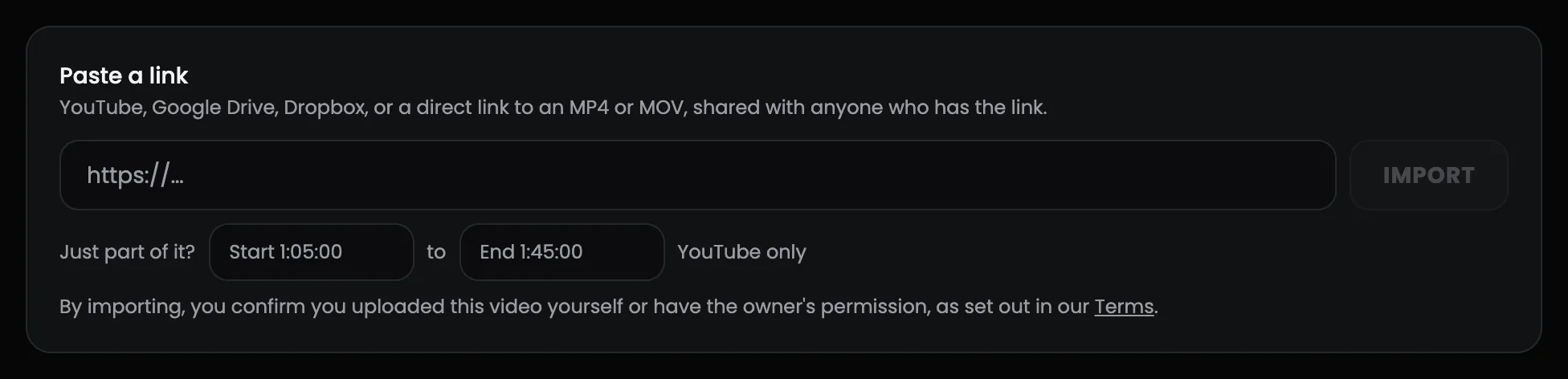
- Paste the link and press Import. We check it first, so a link we can't use tells you why straight away.
- The video appears in your library as Uploading while we fetch it, then Processing, then Ready, the same as a file you uploaded yourself. A full match usually takes a few minutes.
- Use it in Match Tracker like any other video.
What works:
- YouTube: public or unlisted videos. Private videos can't be fetched, so set yours to unlisted first.
- Google Drive: set sharing to Anyone with the link.
- Dropbox, or a direct link to an MP4 or MOV file.
- Files up to 5 GB. Anything bigger, upload the file directly.
Only want part of a long video? For YouTube links, fill in Start and End (like 1:05:00 to 1:45:00) and only that stretch comes across, up to 4 hours. That is how you pull your one match out of a four hour tournament stream. It follows the same rule as the rest of this guide: take one continuous stretch, and never cut between rallies.
Only import footage you filmed yourself or have the owner's permission to use. Pressing Import confirms that, as set out in our Terms.
Link import is on the web for now. In the phone app, upload from your camera roll.
Fixing a video after you've uploaded itLink to this section
Filmed in portrait, or the phone saved the clip upside down? You don't have to film it again or re-upload it. Rotate it in place, in 90° steps, from your video library.
On the web: open Videos, press Preview & Edit on the video, tap Rotate 90° until it looks right, then Apply changes.
Your videos
1 video
Saturday league — game 2
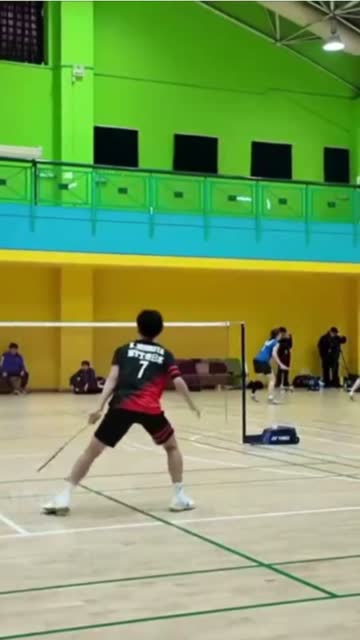
In the app: open Videos, tap ⋯ on the video, choose Rotate video, turn it Left or Right until the preview looks right, then Apply rotation.
Videos
Saturday league — game 2
12 Aug · Not tracked
Saturday league — game 2
Videos
Saturday league — game 2
12 Aug · Not tracked
Rotate · Saturday league — game 2
Applying re-processes the video, so it leaves your library for a few minutes and comes back the right way up.
4Apply rotationEither way the video shows as Processing for a few minutes while we rebuild it, then comes back Ready the right way up. Your original upload is never modified, so you can rotate again if you overshoot.
Rotate before you send the match for tracking. Rotating re-encodes the footage, so on a match that's already tracked, the player boxes drawn against the old frame no longer line up and you'd have to set them up again.
The web edit panel also has a trim slider, but it only cuts the two ends of the video. Use it to drop dead footage before or after play, never to cut between rallies, for the reasons in One take, no cuts above. If your goal is to pay for less than the whole video, save segments instead.
A few extra tipsLink to this section
- Good, even lighting helps us see the shuttle and the players clearly.
- Try to keep the whole court in view, especially the back corners.
What's nextLink to this section
- Add your video in Match Tracker.
- See how to lower your token cost.
- Learn our manual tracking workflow.
Still need help?
Browse all guides or send our team a message.